

Let’s be realistic for a moment. As a working professional, your day is already packed, meetings, deadlines, emails, calls, and constant notifications. Now add one more thing: cybersecurity.
Sounds important… but also overwhelming, right?
Here’s the truth most people won’t tell you: you don’t need deep technical knowledge to stay secure at work. What you do need is a clear understanding of cybersecurity fundamentals, short, practical, and relevant to your daily tasks.
Cybersecurity for professionals is not about becoming a hacker or an IT expert. It’s about learning how to avoid common mistakes, recognize threats early, and protect sensitive information without slowing down your workflow.
Think of cybersecurity like workplace etiquette. You don’t need to know the psychology behind communication, you just need to know what not to say, what not to click, and when to pause.
This guide is built exactly for that purpose: practical cybersecurity fundamentals for professionals who want clarity, not complexity.
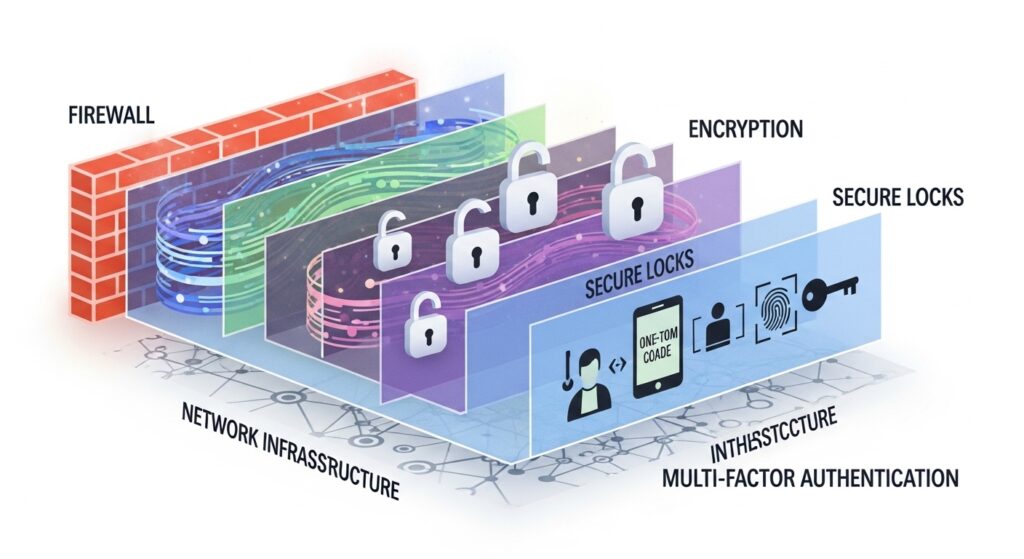
1. What Are Cybersecurity Fundamentals for Professionals?
Cybersecurity fundamentals for professionals are the basic principles and habits that help protect work data, systems, and communication from digital threats.
These fundamentals focus on:
- Awareness instead of deep technical skills
- Everyday work situations
- Preventing common mistakes
- Responding calmly to risks
In simple terms, cybersecurity fundamentals teach you how to work safely in a digital environment, just like workplace safety rules protect you physically.
2. Why Cybersecurity Is Everyone’s Responsibility
Many professionals believe cybersecurity is “the IT team’s job.” That mindset is risky.
Here’s why:
- Most cyber incidents start with human action
- Tools can’t stop every mistake
- One click can bypass advanced security
Cybersecurity works best when everyone plays a role, even if that role is just being cautious and informed.
3. Why Professionals Are a Major Cyber Target
Cyber attackers don’t just target systems, they target people.
Professionals are attractive targets because:
- They handle sensitive data
- They communicate with clients and vendors
- They work under pressure and time constraints
Hackers rely on distraction and urgency. That’s why practical cybersecurity fundamentals are essential for modern professionals.
4. The Most Common Cyber Threats in the Workplace
You don’t need to fear every cyber threat, just understand the most common ones.
Phishing Emails
Fake emails pretending to be urgent or official.
Credential Theft
Stealing usernames and passwords through fake logins.
Malicious Attachments
Files that look harmless but contain malware.
Unauthorized Access
Leaving devices unlocked or unattended.
According to the Cybersecurity & Infrastructure Security Agency (CISA), most workplace cyber incidents are preventable with basic awareness. Their professional-friendly cybersecurity guidance is available here.
5. Why “Short & Practical” Cybersecurity Works Best
Long cybersecurity training sessions often fail, not because the content is wrong, but because people don’t remember it.
Short and practical learning works because:
- Attention stays high
- Lessons feel relevant
- Knowledge is easier to apply
- Habits form faster
It’s like learning to cook one recipe at a time instead of reading an entire cookbook in one day.
6. Core Cybersecurity Fundamentals Every Professional Must Know
Let’s break down the fundamentals that actually matter.
Awareness Over Expertise
You don’t need to know how attacks work, just how to spot warning signs.
Pause Before You Click
Urgency is often a red flag.
Protect Credentials
Passwords are keys, treat them like valuables.
Report Early
Reporting a mistake early can prevent major damage.
These fundamentals form the backbone of professional cybersecurity behavior.
7. Email Security: The #1 Risk for Professionals
Email is the most common entry point for cyberattacks.
Red Flags to Watch For
- Unexpected attachments
- Urgent requests for action
- Slightly misspelled sender addresses
- Requests for passwords or codes
A simple pause and verification can stop most email-based threats.
8. Password Management Without the Headache
Let’s address a common frustration: passwords.
Good password practices don’t have to be painful.
Simple Rules That Work
- Use a unique password for each work tool
- Avoid predictable patterns
- Use a password manager instead of memory
Think of passwords like office keys, you wouldn’t use one key for every door.
9. Device & Workspace Security Basics
Cybersecurity isn’t just digital, it’s physical too.
Basic Device Habits
- Lock your screen when away
- Don’t share work devices
- Keep software updated
Workspace Awareness
- Avoid leaving sensitive data visible
- Be cautious in public spaces
These habits take seconds but offer powerful protection.
10. Safe Remote Work and Wi-Fi Practices
Remote work is convenient, but it introduces new risks.
Smart Remote Work Habits
- Avoid public Wi-Fi for sensitive work
- Use secure connections
- Keep devices updated
Cybersecurity fundamentals adapt to how professionals work today, not how they worked years ago.
11. How Safelora Delivers Practical Cybersecurity Learning
Safelora focuses on cybersecurity education that fits real professional lives.
Their approach emphasizes:
- Short, practical learning modules
- Clear, non-technical explanations
- Real workplace scenarios
- Continuous awareness, not one-time training
You can explore Safelora’s cybersecurity learning resources here: Low-Cost Cybersecurity Training Online for Startups & Teams
This internal resource is ideal for professionals and teams who want effective cybersecurity without complexity.
12. Cybersecurity Habits That Fit Busy Workdays
The best cybersecurity habits are the ones you actually follow.
Examples:
- Double-checking links before clicking
- Locking screens during quick breaks
- Reporting suspicious emails immediately
These habits don’t slow productivity, they protect it.
13. Measuring the Impact of Cybersecurity Awareness
You don’t need technical metrics to see improvement.
Positive signs include:
- Fewer suspicious clicks
- Faster incident reporting
- Increased confidence in handling threats
- Better security conversations within teams
When professionals feel confident, cybersecurity becomes proactive, not reactive.
14. Common Cybersecurity Mistakes Professionals Make
Avoid these frequent pitfalls:
- Assuming “it won’t happen to me”
- Ignoring training refreshers
- Relying only on security tools
- Hesitating to report mistakes
Cybersecurity is about learning, not blaming.
15. Final Thoughts: Simple Habits, Strong Protection
Cybersecurity fundamentals for professionals don’t need to be complex, technical, or time-consuming.
When learning is short, practical, and relevant, professionals stay engaged, and threats lose their advantage.
Small habits.
Clear awareness.
Stronger protection.
That’s what modern cybersecurity should look like for professionals.
Frequently Asked Questions (FAQs)
1. What are cybersecurity fundamentals for professionals?
They are basic, practical skills and awareness habits that help professionals stay safe while working digitally.
2. Do professionals need technical cybersecurity knowledge?
No. Awareness and good habits prevent most cyber incidents.
3. How much time does cybersecurity learning require?
Short sessions of 5–15 minutes are often enough when done regularly.
4. Is cybersecurity only important for IT roles?
No. Any professional who uses email, data, or online tools benefits from cybersecurity knowledge.
5. How often should professionals refresh cybersecurity training?
At least once a year, with short refreshers every few months.